
This blog post introduces the second installment in our series of notes outlining different scenarios for using Syndeia 2.0 to generate, connect, and compare Simulink and SysML models. Part 1 showed how SysML block and activity structures can be used to generate Simulink model reference structures, including both atomic and multi-signal ports. Part 2 will describe how to generate Simulink models from SysML with specific blocks in the Simulink library that are then executed using a MATLAB script. In Part 3 the reverse will be demonstrated; using Simulink model and block structures to generate SysML block and activity structures. In all three use cases, we will also use the connections created during the generation process to compare and identify changes made on either the SysML side or Simulink side.
In this second installment of the series, we will explore the use case where an expert in both SysML and Simulink can create models in SysML which can be directly translated to Simulink and immediately executed using a script. Meanwhile, persistent connections between SysML elements and Simulink models will have been created by Syndeia, as in the first installment, so that later on as changes are made to either side, we will compare across those connections to show what changes have been made and whether the ports and interfaces remain in sync. Further whitepapers will be published successively over the next few months. Watch this blog page for announcements.
- Download Technote: Syndeia Simulink Capabilities Part 2 – SysML → Simulink Executable Model
- Download Technote: Syndeia Simulink Capabilities Part 1 – SysML → Simulink Skeletal Model
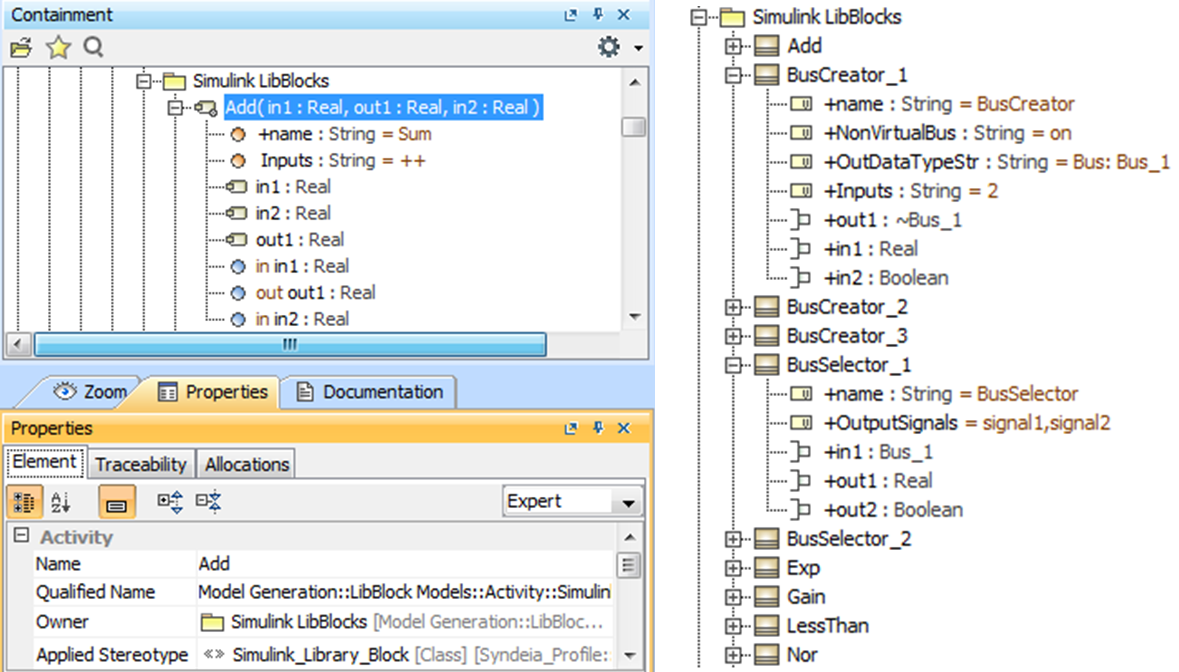 Examples from a library of SysML blocks and activities, used to generate native Simulink library blocks
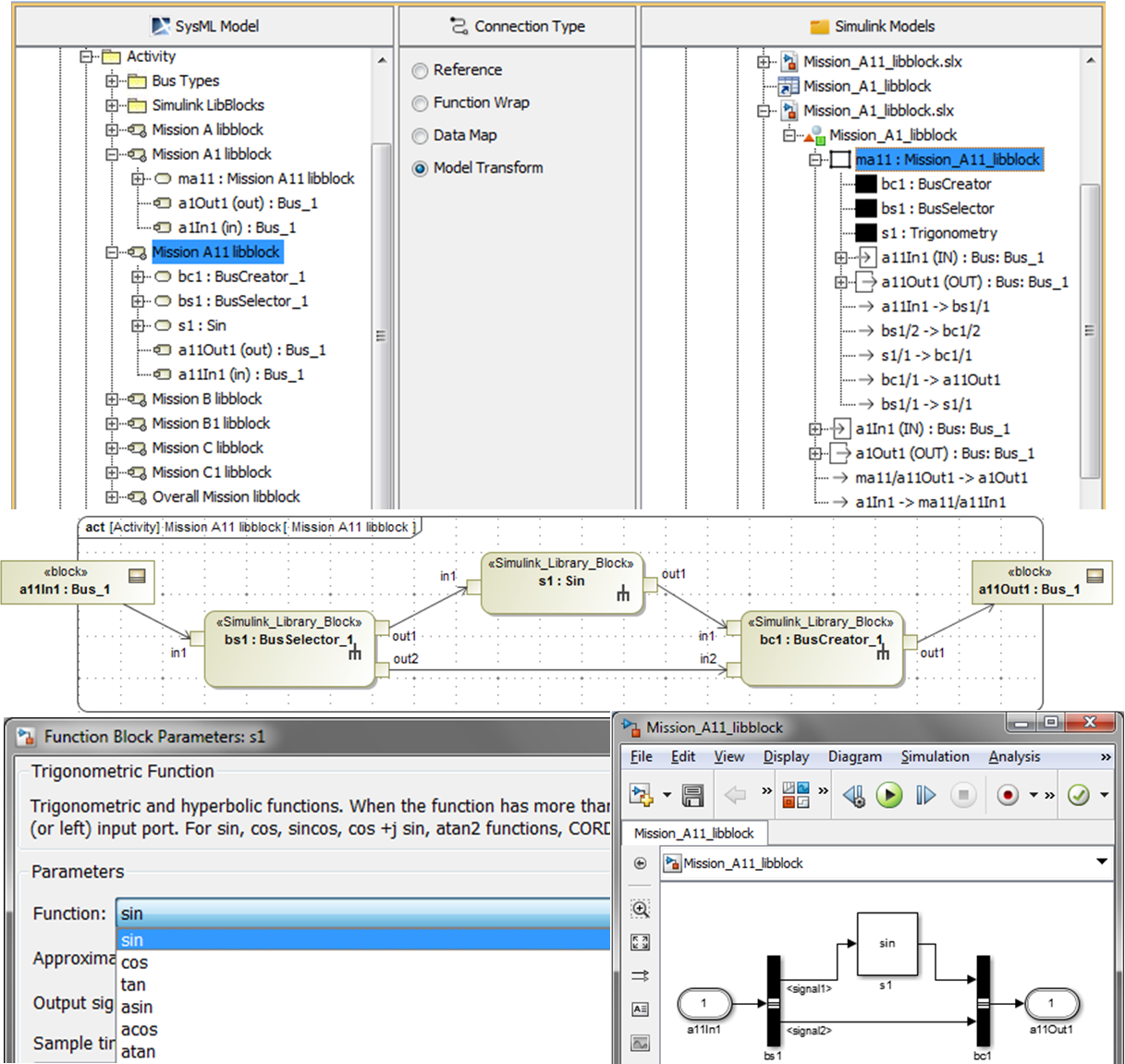 Detail of transformation from SysML activity (Mission A11 libblock) to Simulink model (Mission_A11_libblock)
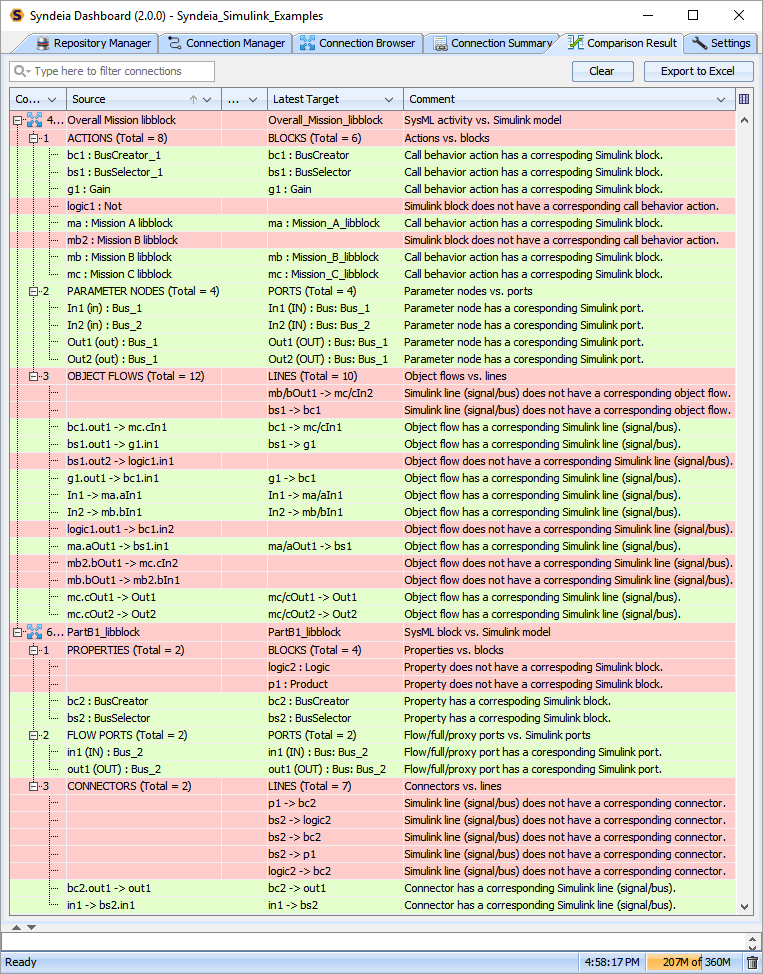 Comparing changes between SysML activity/block structures and Simulink models